Laptop Backpack vs Regular Backpack: Which Should You Buy in Kenya?
Quick Answer
Choose a dedicated laptop backpack when you regularly carry a laptop to work, university, meetings or while travelling.
A proper laptop backpack should have a separate padded compartment that fits your device closely, together with comfortable straps and enough organisation for the charger, documents and other daily essentials.
Choose a regular backpack or casual daypack when you mainly carry books, clothing, lunch, gym items or personal belongings and do not regularly transport a laptop.
The most important difference is not the overall size of the bag. It is the protection and organisation provided for the device.
A large general-purpose backpack may hold a laptop, but that does not automatically mean it protects it properly.
Laptop Backpack vs Regular Backpack
| Feature | Laptop backpack | Regular backpack or daypack |
|---|---|---|
| Primary purpose | Carrying a laptop, accessories and daily essentials | Carrying books, clothing and general personal items |
| Laptop protection | Dedicated padded compartment or sleeve | May have no padding or only a basic divider |
| Organisation | Usually includes pockets for chargers, cables and documents | Usually has a simple main compartment and front pocket |
| Best for | Professionals, students, commuters and business travellers | School, gym, casual outings and light everyday use |
| Comfort under heavier loads | Often designed with padded straps and back support | Depends on the individual model |
| Professional appearance | Available in formal and casual designs | Often more casual |
| Typical capacity | Moderate, with structured compartments | Varies from compact to spacious |
| Main limitation | May be heavier and more structured | Offers less protection for electronics |
Why a Laptop Backpack Is Different from a General Backpack
A laptop backpack is designed around the shape, weight and vulnerability of an electronic device.
Its defining feature is normally a separate laptop compartment positioned close to the wearer’s back.
This compartment may include:
-
Padding on the front and back.
-
Additional padding underneath the laptop.
-
A securing strap or fitted sleeve.
-
Soft lining to reduce scratches.
-
Separation from books, keys, chargers and other hard objects.
A casual daypack may still be spacious enough to hold a laptop, but the computer may move around inside the main compartment or rest directly against the base of the bag.
This increases the possibility of everyday knocks when the bag is placed on the floor, moved through crowded spaces or handled during commuting.
Padding reduces the effects of ordinary bumps, but no backpack makes a laptop completely impact-proof. The device should still be handled carefully.
Why Laptop Protection Matters During Daily Commuting
A laptop carried between home, work, university and meetings is exposed to repeated movement.
During a normal commute, a backpack may be:
-
Placed on a vehicle floor.
-
Held between other bags.
-
Set down on a pavement or office floor.
-
Moved through crowded transport areas.
-
Exposed to dust or sudden rain.
-
Accidentally knocked against a seat, door or desk.
A laptop compartment helps separate the computer from the other contents of the bag.
It also prevents items such as chargers, keys, power banks and notebooks from pressing directly against the laptop.
However, protection depends on more than the presence of a sleeve. The compartment must also be the correct size and should have sufficient padding around the base and sides.
1. Choose the Correct Laptop Compartment Size
Laptop backpacks are commonly described using screen sizes such as:
-
13 inches.
-
14 inches.
-
15.6 inches.
-
16 inches.
-
17 inches.
The screen size is measured diagonally, but laptops with the same screen size can have different widths and thicknesses.
For example, a slim 15.6-inch laptop may fit a compartment that cannot accommodate a thicker gaming laptop with the same screen measurement.
Before buying a laptop backpack, check:
-
The width of the laptop.
-
The height or depth of the laptop.
-
The laptop’s thickness.
-
The internal dimensions of the backpack compartment.
-
Whether you use a protective laptop case or shell.
The compartment should hold the laptop securely without requiring force to close the zip.
It should not be so large that the device moves excessively while walking.
Should You Buy a Larger Laptop Backpack for Future Use?
Buying slightly above your current laptop size can provide flexibility, but an excessively loose compartment reduces stability.
When choosing between two sizes:
-
Select the smaller option when the laptop fits comfortably and the compartment closes without pressure.
-
Select the larger option when the laptop is thick, uses a protective case or is close to the compartment’s stated limit.
-
Avoid a compartment that compresses the laptop or places pressure on the screen.
When the product page does not state the internal sleeve measurements, confirm compatibility before ordering.
2. Check the Padding Carefully
Not all padded compartments provide the same protection.
Look for padding in the following areas:
Back Padding
Padding between the laptop and the wearer improves comfort and protects the computer from items pressing against it from behind.
Front Padding
This separates the laptop from books, documents and accessories stored in the main compartment.
Bottom Padding
The bottom is particularly important because many bags are regularly placed on hard surfaces.
A better laptop compartment may:
-
Include additional foam underneath the device.
-
End slightly above the external base of the backpack.
-
Use a suspended design that prevents the laptop from directly striking the ground when the bag is placed down.
Side Protection
Side padding can help protect the corners and edges of the laptop during normal handling.
Securing Strap
A strap or fitted sleeve helps reduce movement inside the compartment.
Padding is intended for everyday protection. It does not make the backpack suitable for dropping, throwing or rough handling.
3. Water-Resistant vs Waterproof Backpacks
These terms should not be treated as interchangeable.
Water-Resistant Backpack
A water-resistant backpack can normally handle light rain or small splashes for a limited period.
However:
-
Water may eventually pass through the fabric.
-
Zips and seams may not be sealed.
-
Heavy or prolonged rain can still reach the contents.
-
Water may enter through openings and external pockets.
Waterproof Backpack
A genuinely waterproof bag requires stronger protection, normally including specialised materials, sealed seams and closures designed to prevent water entry.
Many everyday laptop backpacks are water-resistant rather than fully waterproof.
What Is Best for Commuting in Kenya?
For normal daily commuting, water-resistant fabric is a useful minimum when carrying:
-
A laptop.
-
Tablet.
-
Phone.
-
Chargers.
-
Documents.
-
Books.
During heavy rain, use additional protection such as:
-
A fitted backpack rain cover.
-
A waterproof laptop sleeve.
-
A sealed internal document pouch.
-
A plastic or waterproof electronics pouch.
Do not assume that a water-resistant exterior guarantees the safety of electronics during a heavy downpour.
4. Examine the Shoulder Straps and Back Panel
A laptop, charger, water bottle, notebooks and personal items can create a heavy daily load.
The backpack should therefore have:
-
Two adjustable shoulder straps.
-
Adequate strap width.
-
Padding that does not collapse immediately.
-
Strong stitching where the straps connect to the bag.
-
A back panel that feels comfortable against the body.
Using both shoulder straps distributes the load more evenly than carrying a backpack on one shoulder.
Adjust the straps so the bag sits close to the body rather than hanging loosely below the waist.
Padded Back Panels
A padded back panel can:
-
Prevent the laptop and contents from pressing directly against the wearer.
-
Improve comfort during longer walks.
-
Give the backpack additional structure.
-
Reduce movement while commuting.
Mesh or channelled back panels may improve ventilation, although no fabric backpack will completely prevent perspiration in hot weather.
5. Look for Useful Organisation
More compartments are not automatically better.
The goal is to keep essential items separated and easy to reach without making the bag unnecessarily heavy.
Useful compartments may include:
-
Padded laptop sleeve.
-
Tablet sleeve.
-
Charger pocket.
-
Cable organiser.
-
Power-bank compartment.
-
Document section.
-
Quick-access front pocket.
-
Internal zipped pocket.
-
Key holder.
-
Pen loops.
-
External water-bottle pocket.
Keep Hard Objects Away from the Laptop
Avoid placing the following loose against the laptop:
-
Keys.
-
Plugs.
-
Chargers.
-
Power banks.
-
Metal pens.
-
Tools.
-
Bottles.
-
Hard-edged notebooks.
These items can scratch the device or place pressure on the laptop screen.
Use the organiser pockets or a separate accessory pouch.
Where Should You Carry a Water Bottle?
An external bottle pocket is preferable when carrying electronics.
Ensure the bottle:
-
Closes securely.
-
Does not leak.
-
Fits firmly in the pocket.
-
Does not fall out when the bag is tilted.
Avoid placing an unsealed water bottle in the same compartment as a laptop.
6. Check the Base and Exterior Construction
The base of a backpack experiences substantial daily wear.
It may be placed on:
-
Pavements.
-
Classroom floors.
-
Office floors.
-
Matatu floors.
-
Waiting-area seats.
-
Bus luggage spaces.
-
Outdoor surfaces.
Look for:
-
Strong material at the base.
-
Reinforced stitching.
-
Adequate laptop padding above the base.
-
A shape that remains stable when partially loaded.
-
Material that can be wiped clean.
A light-coloured base may show dirt more easily, while a weak or thin base can wear through before the rest of the backpack.
7. Inspect the Zips and Stitching
A backpack often fails first at the zips, strap joints or overloaded seams.
Before purchasing, check:
-
Whether the main zip moves smoothly.
-
Whether the zip catches on the lining.
-
Whether the teeth remain aligned.
-
Whether the pullers are easy to hold.
-
Whether the shoulder straps are securely stitched.
-
Whether the top handle is reinforced.
-
Whether the fabric around the compartments appears properly finished.
Avoid forcing a bag closed when overpacked. Excessive pressure can damage the zip and seams.
8. Consider the Empty Weight of the Backpack
A heavily constructed bag may provide more protection, but it also adds weight before you pack anything.
A lighter backpack is useful when:
-
You walk long distances.
-
You use public transport.
-
You already carry a heavy laptop.
-
You carry several books.
-
You travel with the backpack as a personal item.
A heavier structured backpack may be worthwhile when:
-
Laptop protection is the priority.
-
You carry expensive equipment.
-
You require additional organisation.
-
You travel regularly.
-
You need a more formal business design.
The best option balances weight, protection and capacity.
Laptop Backpack vs Briefcase
Both can carry a laptop, but they suit different working styles.
Laptop Backpack
A backpack is usually better when:
-
You walk between transport stages.
-
You commute by matatu or bus.
-
You regularly use a boda or bicycle.
-
You need both hands free.
-
You carry a laptop, charger and several other items.
-
You move between different work locations.
-
Comfort is more important than a highly formal appearance.
Advantages
-
Distributes weight across both shoulders.
-
Keeps both hands free.
-
More comfortable for longer walks.
-
Usually provides greater capacity.
-
Often includes bottle and accessory pockets.
-
Suitable for commuting and travel.
Limitations
-
Can look less formal in highly traditional corporate settings.
-
May encourage users to carry too much.
-
Must be removed in crowded spaces for security and courtesy.
-
Can crease formal clothing when heavily loaded.
Laptop Briefcase or Shoulder Bag
A briefcase may be better when:
-
You work in a highly formal environment.
-
You carry only a laptop and a few documents.
-
Your commute involves limited walking.
-
You attend frequent client or executive meetings.
-
You prefer a structured professional appearance.
Advantages
-
More formal appearance.
-
Easy access to documents during meetings.
-
Compact and structured.
-
Suitable for carrying fewer work essentials.
Limitations
-
Places the load on one hand or shoulder.
-
Less comfortable for long walks.
-
Keeps one hand occupied.
-
Can become uncomfortable when heavily loaded.
-
Less practical for mixed public-transport commuting.
Convertible Work Bags
Some work bags can be carried as a backpack, shoulder bag or briefcase.
These provide flexibility but may add weight and complexity. Check whether the straps remain comfortable in each carrying position.
Laptop Backpack vs Messenger Bag
A messenger bag uses one shoulder strap and usually rests against the side of the body.
It is useful for:
-
Quick access to documents.
-
Light commuting.
-
Compact laptops or tablets.
-
Creative or less formal workplaces.
A backpack is usually better when the load is heavy or the commute involves considerable walking.
A messenger bag may be preferable when appearance and quick access matter more than carrying capacity.
Laptop Backpack vs Casual Daypack
Choose a laptop backpack when:
-
You carry a computer regularly.
-
The device is valuable or essential for work.
-
You commute several times per week.
-
You carry chargers and other electronics.
-
You need structured organisation.
-
You want additional padding.
Choose a casual daypack when:
-
You do not carry a laptop.
-
You mainly carry light clothing or personal items.
-
You need a gym or weekend bag.
-
You need a simple school or everyday backpack.
-
Low empty weight is a priority.
-
You prefer one uncomplicated main compartment.
A casual daypack can still carry a laptop occasionally when used with a properly fitted padded laptop sleeve, but a dedicated laptop backpack remains the better choice for regular use.
Backpack Options at Red Rhino
Red Rhino stocks backpacks for work, school, commuting, casual use and travel, subject to current availability.
Explore All Backpacks at Red Rhino
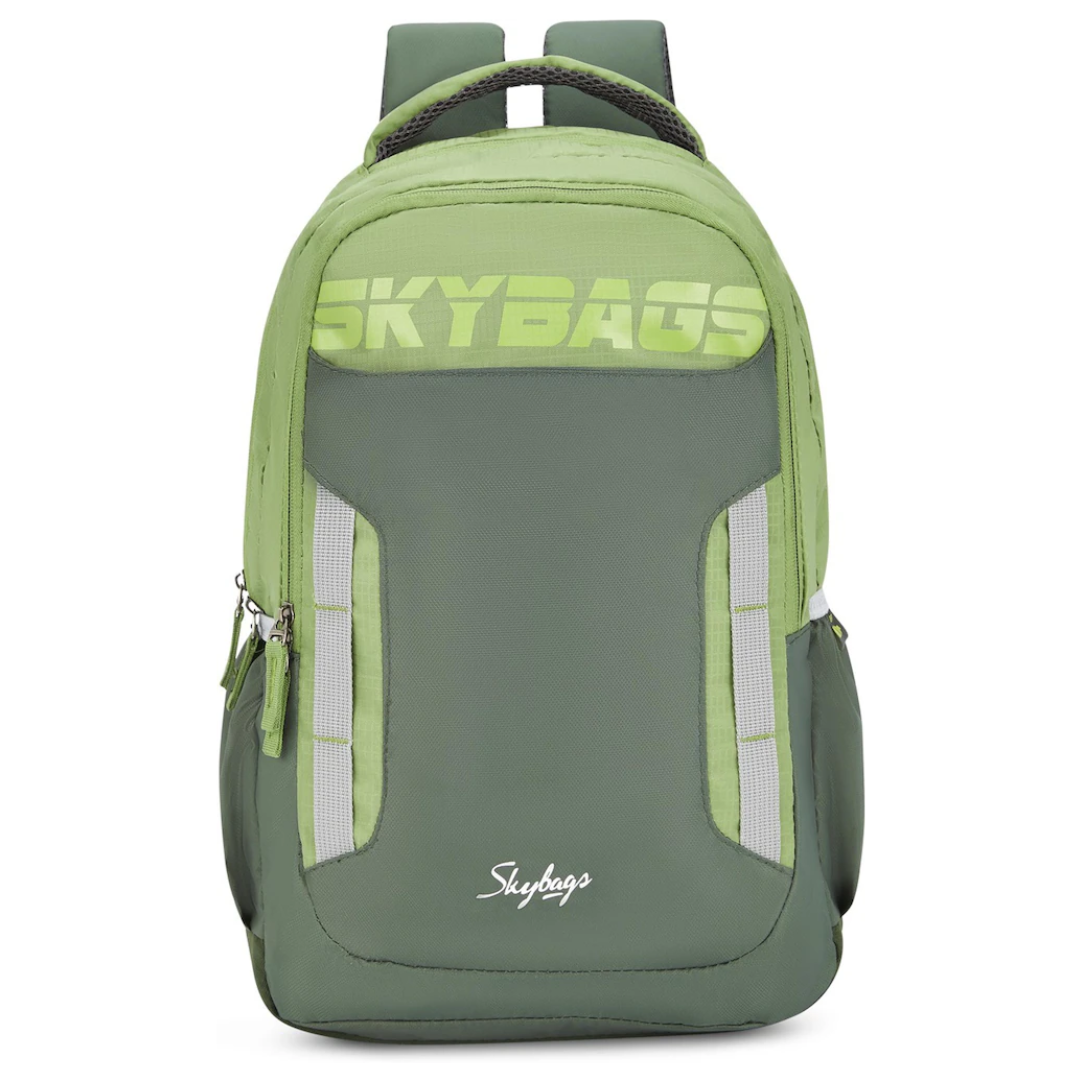
SkyBags Graf Laptop Backpack
The SkyBags Graf 48cm Laptop Backpack is designed for students, professionals and commuters who need a dedicated laptop compartment.
Its listed features include:
-
Padded laptop compartment.
-
Spacious main storage area.
-
Multiple organiser pockets.
-
Padded adjustable straps.
-
Padded back panel.
-
Durable fabric construction.
This model is suitable when laptop protection and organisation are more important than a minimal daypack design.
Confirm that the internal laptop compartment fits the dimensions of your device before ordering.
View the SkyBags Graf Laptop Backpack
MI Casual Daypack
The MI Casual Daypack is a lightweight everyday option for carrying general personal items.
It is suited to:
-
Casual outings.
-
Light commuting.
-
School essentials.
-
Gym clothing.
-
Weekend use.
-
Everyday personal items.
The range includes colour options such as:
The MI Casual Daypack should be treated as an everyday backpack rather than automatically assumed to offer the same laptop protection as a dedicated padded laptop bag.
Use a separate fitted laptop sleeve when carrying a computer in any backpack without a dedicated padded compartment.
SkyBags Everyday Backpacks
Red Rhino also stocks SkyBags backpacks in different sizes, designs and colours, subject to availability.
These may include:
-
SkyBags Atlas.
-
SkyBags Brat.
-
SkyBags Graf.
-
SkyBags Lit.
-
SkyBags Voxel.
Some models are designed primarily as everyday or school backpacks, while others may include laptop organisation.
Check the individual product description rather than assuming that every large SkyBags backpack includes a padded laptop compartment.
Browse SkyBags and Other Backpacks
Choosing a Backpack by User
Best Backpack for an Office Commuter
Look for:
-
Dedicated padded laptop compartment.
-
Professional colour and design.
-
Comfortable straps.
-
Document organisation.
-
Charger pocket.
-
Water-resistant exterior.
-
Strong base.
-
External bottle pocket.
A black, navy, grey or other neutral colour is generally easier to pair with office clothing.
Best Backpack for a University Student
Look for:
-
Laptop compartment where required.
-
Space for notebooks and textbooks.
-
Strong shoulder straps.
-
Water-bottle pocket.
-
Organiser for chargers and stationery.
-
Durable base.
-
Comfortable back padding.
Students should avoid choosing an oversized backpack simply because it can hold more. A larger bag is easier to overload.
Best Backpack for School
For younger students, prioritise:
-
Correct size for the student.
-
Two adjustable shoulder straps.
-
Low empty weight.
-
Strong zips.
-
Comfortable back panel.
-
Compartments for books and lunch.
-
Water-bottle pocket.
The bag should not hang excessively below the child’s waist or require them to lean forward while carrying it.
Best Backpack for a Boda or Mixed Commute
Choose a backpack that:
-
Sits close to the body.
-
Has secure, adjustable straps.
-
Does not have long loose straps.
-
Closes fully.
-
Keeps valuables inside secured compartments.
-
Does not interfere with movement.
-
Protects electronics from light rain and dust.
The bag should be worn securely and should never interfere with safe travel.
Best Backpack for Business Travel
Look for:
-
Padded laptop compartment.
-
Document organiser.
-
Easy-access travel-document pocket.
-
Luggage-handle sleeve where available.
-
Compact dimensions.
-
Secure zips.
-
Space for chargers and headphones.
Confirm the airline’s personal-item or cabin-baggage limits when travelling by air.
Best Backpack for Gym and Casual Use
A simple daypack may be sufficient.
Look for:
-
Lightweight construction.
-
Washable or easy-clean lining.
-
Separate area for small personal items.
-
Bottle pocket.
-
Comfortable straps.
-
Enough space for clothing and a towel.
Avoid carrying damp clothing in the same compartment as electronics.
How to Pack a Laptop Backpack Correctly
Place the Laptop in the Dedicated Compartment
Do not place it loosely in the main section when a fitted sleeve is available.
Keep the Heaviest Items Close to Your Back
Position the laptop, books and other heavy items close to the body to improve stability.
Separate the Charger
Use an organiser pocket or accessory pouch.
Do not leave the plug pressed against the laptop screen or body.
Avoid Overpacking
A backpack should close without forcing the zips.
Overpacking can:
-
Damage the zip.
-
Stretch the seams.
-
Reduce comfort.
-
Place pressure on the laptop.
-
Distort the bag’s shape.
Secure Liquids
Use tightly sealed bottles and keep them away from electronics.
Remove Unnecessary Items
Regularly remove receipts, old notebooks, unused chargers and other items that add weight without serving a daily purpose.
Backpack Security During Commuting
No backpack is theft-proof, even when marketed as an anti-theft design.
Useful security features may include:
-
Zips that can be secured together.
-
Rear-facing valuables pocket.
-
Internal phone or wallet compartment.
-
Concealed openings.
-
Strong zip pullers.
-
Compartments that remain close to the body.
During crowded commuting:
-
Keep the bag closed.
-
Move it to the front where appropriate.
-
Avoid leaving valuables in easy-access external pockets.
-
Do not display the contents unnecessarily.
-
Keep the bag with you rather than leaving it unattended.
Security features reduce convenience for opportunistic access but cannot replace personal awareness.
How to Clean and Maintain a Backpack
Follow the care instructions provided for the specific model.
For normal cleaning:
-
Empty every compartment.
-
Remove loose dust and dirt.
-
Wipe the exterior with a damp cloth.
-
Use mild soap only where permitted.
-
Clean zips carefully without forcing them.
-
Allow the bag to air-dry completely.
-
Store it in a dry, ventilated place.
Do not machine-wash a backpack unless the manufacturer specifically allows it.
Machine washing can damage:
-
Internal padding.
-
Water-resistant coatings.
-
Structured panels.
-
Zips.
-
Buckles.
-
Adhesives.
Do not store a damp backpack with a laptop or documents inside.
Common Backpack-Buying Mistakes
Buying Based Only on Overall Size
A large bag is not necessarily a good laptop bag.
Check the laptop compartment separately.
Assuming Every Backpack Is Water-Resistant
Material and construction vary. Confirm the product description.
Choosing by Screen Size Alone
Measure the actual laptop because devices with the same screen size can have different dimensions.
Ignoring Bottom Padding
The laptop may still strike the ground if the compartment rests directly on the external base.
Buying an Oversized Bag
Large backpacks encourage overpacking and may become uncomfortable.
Ignoring Empty Weight
A heavy backpack can become difficult to carry once a laptop, charger and books are added.
Carrying the Bag on One Shoulder
Use both straps to distribute the load more evenly.
Placing a Water Bottle Beside the Laptop
Carry sealed bottles externally whenever possible.
Assuming “Anti-Theft” Means Theft-Proof
It does not. Continue handling the bag carefully in public spaces.
Selecting Appearance Over Comfort
A stylish backpack that is uncomfortable will be difficult to use every day.
Frequently Asked Questions
Do I Need a Dedicated Laptop Backpack?
A dedicated laptop backpack is strongly recommended when you carry a laptop regularly.
It provides padding, separation and organisation that a basic main compartment may not offer.
For occasional laptop transport, a well-fitted padded laptop sleeve can add protection inside a regular backpack.
Can I Carry a Laptop in a Normal Backpack?
Yes, but use a protective sleeve if the backpack does not have a padded laptop compartment.
Ensure the laptop does not rest directly against the bag’s base or come into contact with keys, plugs and other hard objects.
What Size Laptop Backpack Should I Buy?
Choose a compartment that fits the actual width, height and thickness of the laptop.
Do not rely only on the diagonal screen measurement.
Is a 15.6-Inch Laptop Backpack Suitable for Every 15.6-Inch Laptop?
Not always.
Some laptops are thicker or have larger external frames. Check the compartment’s internal dimensions against the device.
Is a Backpack Better Than a Briefcase for Nairobi Commuting?
A backpack is generally more practical when the commute includes walking, public transport or frequent movement because it uses two straps and keeps both hands free.
A briefcase may be more suitable for formal client-facing work and shorter commutes.
Is a Laptop Backpack Waterproof?
Most everyday laptop backpacks are water-resistant rather than fully waterproof.
Check the product specifications and use a rain cover or waterproof laptop sleeve during heavy rain.
Does Padding Guarantee That My Laptop Will Not Be Damaged?
No.
Padding helps reduce the effects of everyday knocks, but it cannot guarantee protection from severe impact, crushing, water or careless handling.
Should the Laptop Compartment Be Against My Back?
Many laptop backpacks position the compartment close to the wearer’s back.
This keeps the laptop separated from general contents and places the heaviest item closer to the body.
What Is the Best Backpack for a Student?
Choose one with:
-
Correct laptop fit where required.
-
Strong straps.
-
Back padding.
-
Space for books.
-
Organiser pockets.
-
Durable base.
-
Water-bottle pocket.
The bag should not be unnecessarily large or heavy.
What Is the Best Backpack for Work?
A work backpack should combine:
-
Laptop protection.
-
Professional appearance.
-
Document storage.
-
Charger organisation.
-
Comfortable straps.
-
Durable construction.
-
Appropriate size for the daily commute.
Is a Casual Daypack Suitable for School or Gym Use?
Yes.
A casual daypack is suitable for books, clothing and everyday essentials when dedicated laptop protection is not required.
Should I Choose a Black Backpack for Work?
Black is versatile and appropriate for many workplaces, but navy, grey and other neutral colours can also look professional.
The construction and organisation are more important than colour alone.
How Many Compartments Should a Work Backpack Have?
There is no ideal number.
A good work backpack should have enough separation for the laptop, charger, documents and personal items without becoming unnecessarily complicated.
Can a Backpack Damage My Laptop Screen?
Pressure from overpacking, plugs, chargers or heavy objects can damage a laptop even inside a bag.
Keep hard items away from the laptop and avoid forcing the backpack closed.
Where Can I Buy Laptop Backpacks in Nairobi?
Red Rhino stocks laptop backpacks, casual daypacks and other bags for work, school and travel, subject to availability.
Customers can shop online, request Nairobi delivery or arrange countrywide delivery.
Shop Backpacks and Work Bags at Red Rhino
Explore backpacks for laptops, school, work, commuting, travel, gym and casual everyday use.
Visit Red Rhino in Nairobi
Red Rhino
PJ Center, Shop D11
4th Parklands Avenue, Parklands
Opposite Highridge Primary School
Nairobi, Kenya
Red Rhino offers recognised brands across backpacks, business bags, luggage, domestic appliances, cookware, personal care, lighting, fragrances and other lifestyle categories.
Shop online for Nairobi delivery and countrywide shipping, or visit the Red Rhino showroom for assistance selecting a backpack suited to your laptop, work routine or daily commute.
Red Rhino — Where Quality Brands Come Together.
Product designs, materials, colours, specifications and stock availability may change. Confirm the laptop-compartment dimensions and current product details before ordering.