

Cart
0
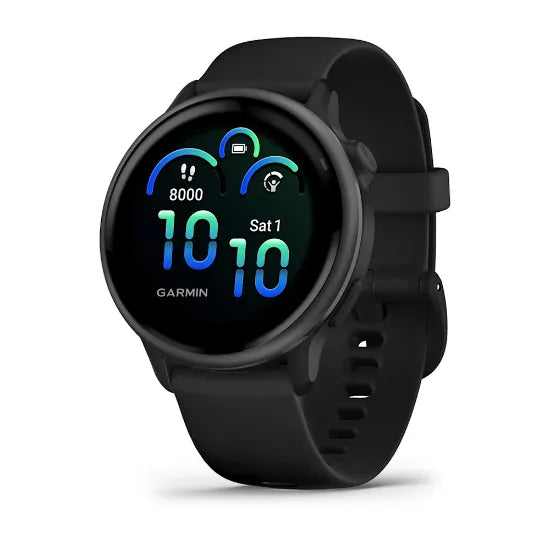
Read smartwatch specifications as separate capabilities. GPS is not the same as maps, a microphone is not the same as cellular calling, and 'up to 11 days' is not a promise of 11 days of continuous activity recording. Breaking the terms apart makes price comparisons much clearer.
This guide explains the questions to ask before buying. The Garmin examples are manufacturer specifications, not Red Rhino laboratory measurements. Always use the current documentation for the exact model and edition you are considering.
Built-in GPS
A watch with its own satellite receiver can determine its position for supported activities. That is different from a watch that relies on a phone's position. Check how the exact model records time, distance and route, and whether any particular function still depends on a phone connection.
A recorded track is an estimate based on received signals and the device's processing. It should not be treated as perfect simply because the watch has GPS. The available satellite modes and the environment are part of the practical comparison.
Multi-GNSS and multi-band
Multi-GNSS refers to using more than one satellite navigation system. Multi-band refers to receiving supported signals on more than one frequency band. These describe different things, even though a model may offer both.
Garmin explains that compatible multi-band modes can help positioning in challenging conditions, with implications for battery use. Auto-selection features such as SatIQ are also model-specific. Check which modes exist on your candidate watch rather than assuming that every Garmin has identical options.
The practical question is whether the supported mode serves your usual activities and lasts long enough. A more elaborate mode is not automatically necessary for every recording session.
GPS, courses and full maps
| Term | What to investigate |
|---|---|
| GPS recording | Can the watch record position during the activity you want? |
| Course or route following | Can it load your route, and what guidance appears on screen? |
| Onboard maps | Which mapped information and regions are available directly on the watch? |
Do not accept 'GPS navigation' as the complete answer if you specifically want a map. Ask what you will actually see and how the course or map is loaded. If offline use matters, confirm the setup and test it before relying on it.
Forerunner 970, Venu X1 and fēnix 8 are examples with mapping listed in their specifications. That does not transfer mapping to every model in those families. Map region and required downloads are further questions.
AMOLED and MIP displays
Display technology affects the visual experience and the settings you may choose. Garmin lists AMOLED screens on the Forerunner 265 series and vívoactive 6, for example. Some other Garmin variants use sunlight-readable MIP displays. Compare the exact watch rather than treating a family name as a display type.
Look at legibility, text size, screen dimensions and how the display behaves during your activity. A rich colour screen may appeal for information and appearance. Always-on and gesture-activated settings can lead to different endurance claims. The useful display is the one you can read comfortably in your intended use.
If two candidates use different technologies, compare the complete model specifications. Display type alone cannot prove which watch is easier for you to read or which lasts longer under your settings.
How to read battery figures
The vívoactive 6 specification gives a concrete example: up to 11 days in smartwatch mode, or 5 days with the display always on. It separately lists up to 21 hours in GPS-only mode and up to 8 hours in all-systems GNSS mode with music.
These figures describe different modes. Putting the 11-day number next to another model's GPS-hour number creates a misleading comparison. Use the same mode and check the assumptions attached to it.
Build a small comparison with exact model, display setting, satellite mode, audio use and the relevant manufacturer claim. Then consider the time you need and a reserve. Your real usage can differ from the stated test conditions, so avoid treating the maximum as an unconditional guarantee.
Solar claims require their own conditions
For a solar-capable variant, read the manufacturer's sunlight assumptions and the activity mode used for the claim. A solar figure from one edition cannot be used for a non-solar watch with a similar name.
Consider your normal exposure and how you wear the device. A feature labelled solar charging is not permission to disregard charging planning. If that capability is the main reason you are choosing a model, understand the required conditions before comparing its headline endurance.
Music, calls and payments
Music control can mean controlling audio on another device. Music storage means compatible audio can be held on the watch. The intended service, subscription and headphones may matter. Check all of them if your goal is to train without a phone.
Calls with a connected phone are different from standalone cellular service. A speaker and microphone do not by themselves establish the latter. Read exactly what the model can do and what connection it needs.
Contactless payments depend on compatible banks and cards as well as the watch. Use Garmin's current participating-bank information for your exact card instead of assuming that every card from a bank will work.
Lens, materials and water ratings
A sapphire lens, glass lens, metal bezel and polymer case describe specific components. They do not make a watch indestructible. Compare the complete construction and weight, and check which edition is being quoted.
Water resistance needs the manufacturer's permitted-use guidance for the model. A pressure figure is not the same as a dive certification. Read the care and water-use instructions before deciding whether the watch suits swimming or another water activity.
Frequently asked questions
Does multi-GNSS mean multi-band?
No. One concerns satellite systems; the other concerns supported signal frequencies. A watch may offer both, but they are separate specifications.
Does GPS mean the watch has maps?
No. Check recording, route-following and full mapping separately.
Why does always-on mode have a different battery claim?
Display behaviour is part of the battery assumptions. Use the figure matching the setting you intend to use.
Continue with the Garmin buying guide or ask Red Rhino to clarify an exact specification before purchase.
Continue your watch research
Sources and editorial scope
Prepared by Red Rhino from manufacturer documentation and our exact-model catalogue, checked 3 October 2026. These are buying guides, not hands-on test results. Confirm current price, stock and specification before ordering; regional features and services can change.


